What are the main features of CAD software that you should consider for 2D and 3D drafting and modeling?
What is CAD?
CAD software (Computer-Aided Design) is the use of computer software programs to aid in the design processes. CAD software can help designers and engineers design more efficiently and easily.
As CAD software, GstarCAD provides both advanced 2D drafting and 3D capabilities that allow users to create designs accurately, quickly, and easily. It is lightweight, stable, compatible, and cost-effective without compromising its quality.

Key features of CAD software
There are mainly two kinds of CAD software, one is general-purpose CAD software and one is specialized CAD software that hosts a suite of tools designed for specific industries such as architecture, apparel industry, mechanical and manufacturing industry, dental industry, etc.
But there are some common key features of CAD software that every CAD users are looking for.
* Intuitive interface
One of the key features of popular CAD software is that they have an intuitive and interactive interface, so even beginner designers will find it easy to use. What’s more, the intuitive interface helps you design with efficiency. GstarCAD has a concise and intuitive interface where functions and commands are organized orderly.

* Easy-to-use
When CAD users are looking for the right software for their projects, they all want to find easy-to-use software. No steep learning curve is an important feature of CAD software if CAD users want proficiency in the software program.
GstarCAD is a very easy-to-use CAD program with intuitive functions, making it very natural and easy for GstarCAD users to execute commands. Download free trial of GstarCAD
* 3D modeling
3D modeling makes CAD projects and objects come to life and creates photorealistic results.

3D functionaliy tools and modeling features in GstarCAD 2024 helps users to create and deal with 3D models. Best Free 3D CAD Software to Download in 2024

* PDF feature of CAD software
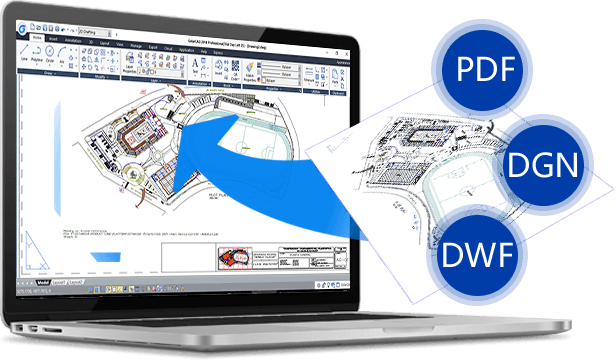
PDF has been widely used, making PDF feature an important feature of CAD software. For example, sometimes users need to convert PDF to DWG or convert DWG to PDF properly and efficiently.
Overview Convert from PDF to DXF File Format
Enhanced PDFs in GstarCAD 2022
How to import and export PDFs with a CAD system?
Discover more from Gstarsoft's Blog
Subscribe to get the latest posts sent to your email.