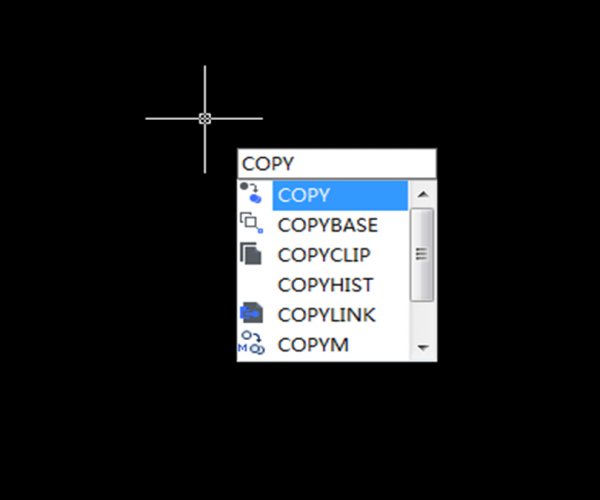
Tips for COPY command in CAD

There are lots of commands in the Modify bar, you may think that COPY command is one of the most easy-to-use commands, but this may not be the case for some newbies, so the following tutorials are for the newbies as how to better use the COPY command.

  1. Open your CAD software, draw a rectangle. Click the Copy command in the Modify bar.

Use the shortcut keys CO will also trigger the command.

2. Select the object that you want to copy, it could be line, point and so on. Then press Enter and we can see the cursor has changed to a cross.

3. Click on the screen where you want to copy the object.

4. GstarCAD 2019 allows multiple copies, but if you only need to copy once, just exit.

OK, that’s how we copy objects using CAD and hope you enjoy this post.


Discover more from Gstarsoft's Blog

Subscribe to get the latest posts sent to your email.

GstarCAD Blog

www.gstarcad.net

Related Posts

Old Factory Renovation with AI Rendering: Reimagine Industrial Buildings with GstarRender

Old factories often have an architectural character that is difficult to recreate in new buildings. Brick facades, large windows, exposed structures, high ceilings, and simple industrial forms can all become…

GstarCAD Deep Dive: What Really Happens Inside a CAD Block?

Blocks are everywhere in CAD. A door symbol. A bolt. A valve. A title block. A machine component. At first glance, a block may look like several drawing objects simply…

Leave a Reply

Don't Miss out

Old Factory Renovation with AI Rendering: Reimagine Industrial Buildings with GstarRender

  • October 15, 2026
Old Factory Renovation with AI Rendering: Reimagine Industrial Buildings with GstarRender

GstarCAD Deep Dive: What Really Happens Inside a CAD Block?

  • September 29, 2026
GstarCAD Deep Dive: What Really Happens Inside a CAD Block?

GstarCAD Deep Dive: How Multiple Top-Level Windows Change Multi-Drawing Workflows

  • September 23, 2026
GstarCAD Deep Dive: How Multiple Top-Level Windows Change Multi-Drawing Workflows

Gstarsoft and AppliCAD Launch GstarSolutions Thailand, Deepening Their Partnership in the Thai Market

  • September 21, 2026
Gstarsoft and AppliCAD Launch GstarSolutions Thailand, Deepening Their Partnership in the Thai Market

Modernizing Without Disruption: What European SMEs Can Learn from SNIE’s Experience

  • September 18, 2026
Modernizing Without Disruption: What European SMEs Can Learn from SNIE’s Experience

GstarCAD Mechanical 2027: Smarter Workflows, Better Compatibility

  • September 15, 2026
GstarCAD Mechanical 2027: Smarter Workflows, Better Compatibility

Discover more from Gstarsoft's Blog

Subscribe now to keep reading and get access to the full archive.

Continue reading

Discover more from Gstarsoft's Blog

Subscribe now to keep reading and get access to the full archive.

Continue reading


