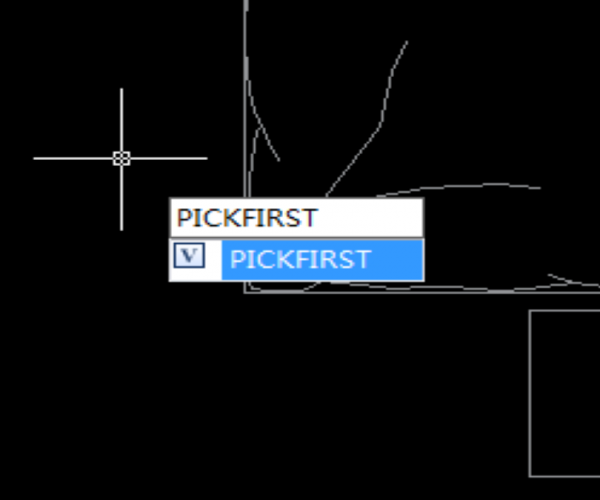
PICKFIRST (System Variable)

PICKFIRST is a system variable that’s used to control whether we can select objects before we start a command.

When the PICKFRIST system variable value is 0, which means the PICKFIRST is off and we cannot select objects before we start a command.

When the PICKFIRST system variable value is 1, which means the PICKFIRST is on and therefore we can select objects before we start a command.

ValueDescription
0Pickfirst not available; unable to select objects before we start a command
1Pickfirst available; able to select objects before we start a command

How PICKFRIST works

  1. Enter “PICKFIRST”, as shown in the following picture,

2. Then press Enter key, as we are prompted to “Enter new value for PICKFIRST”, we can see the system variable is <1>, as shown in the following picture,

3. Since the value is 1, which means PICKFIRST is available;

4. Select objects that we want to erase > Enter ERASE > press Enter key > what happens next is that the objects are gone as long as we execute the ERASE command


Discover more from Gstarsoft's Blog

Subscribe to get the latest posts sent to your email.

GstarCAD Blog

www.gstarcad.net

Related Posts

How GstarRender Turns Your Ideas into Stunning, Presentation-Ready Design Visuals

Design visualization often takes time. A concept may begin as a sketch, reference image, or simple description, but turning that idea into a polished rendering usually requires repeated modeling, material…

Do You Really Need Everything in AutoCAD? Why GstarCAD Is Enough for Many CAD Workflows

When companies compare CAD software, they often begin with a long feature checklist. The more functions a product offers, the more capable it may appear. But for engineers, designers, and…

Leave a Reply

Don't Miss out

The Question Will Not Be “CAD or BIM,” but How They Work as One

  • August 21, 2026
The Question Will Not Be “CAD or BIM,” but How They Work as One

How GstarRender Turns Your Ideas into Stunning, Presentation-Ready Design Visuals

  • August 18, 2026
How GstarRender Turns Your Ideas into Stunning, Presentation-Ready Design Visuals

Do You Really Need Everything in AutoCAD? Why GstarCAD Is Enough for Many CAD Workflows

  • August 13, 2026
Do You Really Need Everything in AutoCAD? Why GstarCAD Is Enough for Many CAD Workflows

Best Free CAD Software Options in 2026

  • August 5, 2026
Best Free CAD Software Options in 2026

Beyond 2D: How CAD Is Evolving into the Foundation of Intelligent Engineering

  • August 4, 2026
Beyond 2D: How CAD Is Evolving into the Foundation of Intelligent Engineering

Parametric Constraints in Dynamic Blocks: What’s New in GstarCAD 2027

  • July 29, 2026
Parametric Constraints in Dynamic Blocks: What’s New in GstarCAD 2027

Discover more from Gstarsoft's Blog

Subscribe now to keep reading and get access to the full archive.

Continue reading

Discover more from Gstarsoft's Blog

Subscribe now to keep reading and get access to the full archive.

Continue reading



