
Houseplan – Your 3D modeling and home design solution
Houseplan is now released! We’re glad to introduce this powerful 3D modeling and real-time rendering software. It is a fast, affordable and easy-to-use software that makes your 3D workflows go smoothly.

How to use your keyboard to execute shortcut actions
We can use keyboard to quickly start options or commands in menu, command panel and dialog box. There are three main ways.

How to create rtext (Remote text) objects
Rtext command is used to create remote text (rtext) or reactive text. Users can edit an existing remote text object (Rtext) with RTEDIT command.

Beginner tutorial: Why enter a negative value for arc radius
The negative and positive values for radius are to solve this particular problem in CAD drafting, and we can control the drawing of major arc or minor arc by entering positive values or negative values for radius.

Beginner tutorial: Boolean operation in CAD
There are three Boolean operation defined in CAD: Union; Subract; Intersect.

What’s Plot Style in Layer Properties Manager?
Users who are familiar with Plot Settings may know Plot style table, which is used to control the plotted color, lineweight, etc.

Double-click editing not working for blocks or text?
There are many objects in CAD that become editable after double-click, such as text, hatch, blocks. But there are times when you just can’t enable editing with double-click. There are some possible causes.
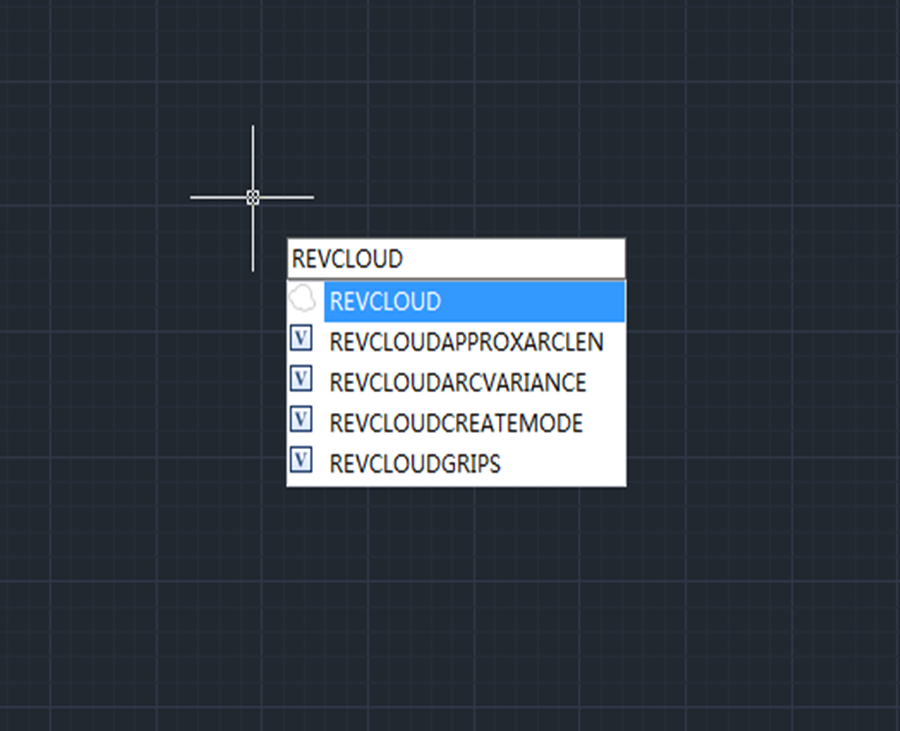
Tips & tricks for Revision cloud
When checking or inspecting drawings, we usually need revision cloud to mark the objects to be modified. Revision cloud is a special polyline that is easy-to-use.

How to move objects with arrow keys?
You can use the up and down arrow keys to look up the commands you have used before, and press Enter to repeat the commands you have executed before.

What’s the difference between ALL and EXTENTS in ZOOM command?
What’s the difference between ALL and EXTENTS in ZOOM command? All option zooms to display all visible objects and visual aids.




%20objects)


