How to display or hide lineweights?

Linewights do not display on screen in the drawing? Please check the LWDISPLAY system variable.

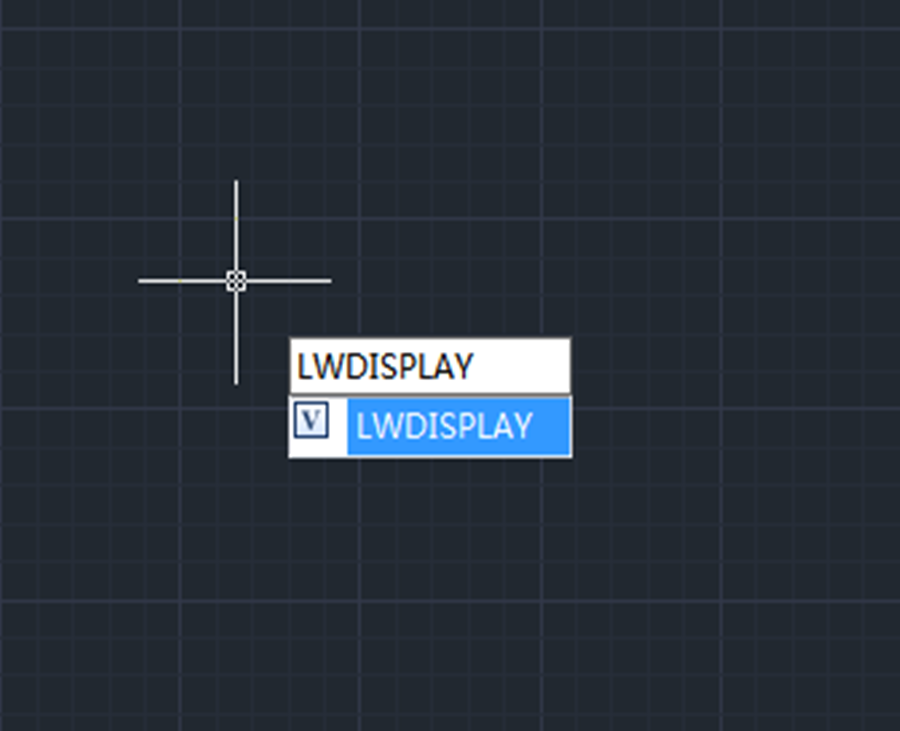
The LWDISPLAY system variable is used to control whether the lineweights of objects are displayed.

Enter LWDISPLAY, then press Enter key,

How to display or hide lineweight?

Then we’re prompted to enter new value for LWDISPLAY, the initial value is Off, which doesn’t display lineweights, we can enter On and press Enter key to enable the display of lineweight.

How to display or hide lineweight?

Please note that users can input 1 and 0 in place of On and Off to change the setting.

Alternatively, we can turn off/on the display of lineweight via the Line Weight in the Status Bar, which is located at the bottom,

How to display or hide lineweight?

Discover more from Gstarsoft's Blog

Subscribe to get the latest posts sent to your email.

GstarCAD Blog

www.gstarcad.net

Related Posts

GstarCAD 2026: Is It Time to Look Beyond the AutoCAD Legacy?

1. Introduction: The Current State of Design Software For decades, the architectural and engineering landscape has been dominated by a single legacy standard. While AutoCAD established the bedrock of digital…

The Ultimate Guide to GstarCAD Mechanical 2026: The Future of Manufacturing Design

GstarCAD Mechanical 2026 drafting/design software, covers all fields of mechanical design.

One thought on “How to display or hide lineweights?

Leave a Reply

Don't Miss out

Building the Future of Steel: How Tarkon Optimizes Structural Design with GstarCAD

  • May 7, 2026
Building the Future of Steel: How Tarkon Optimizes Structural Design with GstarCAD

GstarCAD 2026: Is It Time to Look Beyond the AutoCAD Legacy?

  • April 21, 2026
GstarCAD 2026: Is It Time to Look Beyond the AutoCAD Legacy?

Gstarsoft Showcases Integrated CAD + BIM Solutions at BIM World Paris 2026

  • April 3, 2026
Gstarsoft Showcases Integrated CAD + BIM Solutions at BIM World Paris 2026

Boost CAD Productivity with GstarCAD 2026’s XTP Import Feature

  • March 24, 2026
Boost CAD Productivity with GstarCAD 2026’s XTP Import Feature

Case study: How TopenTech Optimized Equipment Diagnostics and Field Productivity with GstarCAD

  • March 9, 2026
Case study: How TopenTech Optimized Equipment Diagnostics and Field Productivity with GstarCAD

The Ultimate Guide to GstarCAD Mechanical 2026: The Future of Manufacturing Design

  • January 30, 2026
The Ultimate Guide to GstarCAD Mechanical 2026: The Future of Manufacturing Design

Discover more from Gstarsoft's Blog

Subscribe now to keep reading and get access to the full archive.

Continue reading

Discover more from Gstarsoft's Blog

Subscribe now to keep reading and get access to the full archive.

Continue reading

