How do I purge layers that don’t want to be purged

Want to clean up your drawings from extra or garbage layers? 

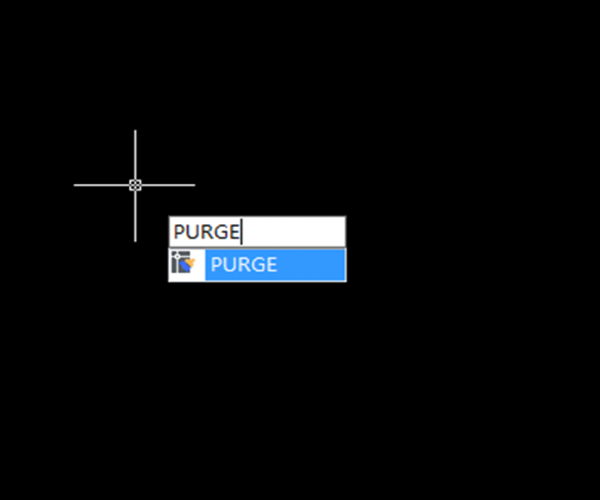
The obvious way to purge layers is to use the PURGE command but sometimes it’s not enough. Purge might need to be run several times. Make sure to select purge nested items. Notice that in the purge dialog box you can find items you cannot purge.

  • the active or current layer
  • layers with objects
  • layer 0
  • layer Defpoints (It can be purged if you remove all dimensions)
  • layers in XREFs (xref-dependent layers

Here there are some tips to purge unwanted layers:

– Layers can exist nested in blocks. They can be used by empty text strings (QTEXTMODE can be used to show these) or lines without length or even viewports that have the layer frozen.

– LAYMRG (Layer Merge) or LAYDEL (Layer Delete) might be able to help you either merge the layer to for example layer 0 or if you don’t care what’s on the layer delete it. 
LAYWALK is also useful to see what is in each layer and can purge unreferenced layers. 
LAYTRANS can also purge layers. In the Layer Translator, right-click in the Translate From list. Click Purge Layers.

– To use the filters in the Properties palette (QSelect) can also work but you might need to explode everything several things first.

  • Another way to generally purge a drawing is to Wblock the entire drawing to a new drawing or use WBLOCK and * for the whole drawing or you can Wblock selected objects.

– You can also try to isolate the problem by deleting 50% of the drawing, try to purge and then keep repeating it until nothing is left. If the layer is still there it might be used by some kind of object that is not purged using the plain purge command.

– DXF can also help. Save as DXF or use DXFOUT command and open in a text editor and search for the layer to see where it is used.


Discover more from Gstarsoft's Blog

Subscribe to get the latest posts sent to your email.

  • GstarCAD Blog

    www.gstarcad.net

    Related Posts

    GstarCAD Deep Dive: What Really Happens Inside a CAD Block?

    Blocks are everywhere in CAD. A door symbol. A bolt. A valve. A title block. A machine component. At first glance, a block may look like several drawing objects simply…

    GstarCAD Deep Dive: How Multiple Top-Level Windows Change Multi-Drawing Workflows

    CAD work rarely happens in just one drawing. An engineer may keep a current design open while referring to an earlier revision. A mechanical designer may copy standard details from…

    Leave a Reply

    Don't Miss out

    GstarCAD Deep Dive: What Really Happens Inside a CAD Block?

    • September 29, 2026
    GstarCAD Deep Dive: What Really Happens Inside a CAD Block?

    GstarCAD Deep Dive: How Multiple Top-Level Windows Change Multi-Drawing Workflows

    • September 23, 2026
    GstarCAD Deep Dive: How Multiple Top-Level Windows Change Multi-Drawing Workflows

    Gstarsoft and AppliCAD Launch GstarSolutions Thailand, Deepening Their Partnership in the Thai Market

    • September 21, 2026
    Gstarsoft and AppliCAD Launch GstarSolutions Thailand, Deepening Their Partnership in the Thai Market

    Modernizing Without Disruption: What European SMEs Can Learn from SNIE’s Experience

    • September 18, 2026
    Modernizing Without Disruption: What European SMEs Can Learn from SNIE’s Experience

    GstarCAD Mechanical 2027: Smarter Workflows, Better Compatibility

    • September 15, 2026
    GstarCAD Mechanical 2027: Smarter Workflows, Better Compatibility

    AI Rendering Workflow: How GstarRender Improves Design Visualization

    • September 8, 2026
    AI Rendering Workflow: How GstarRender Improves Design Visualization

    Discover more from Gstarsoft's Blog

    Subscribe now to keep reading and get access to the full archive.

    Continue reading

    Discover more from Gstarsoft's Blog

    Subscribe now to keep reading and get access to the full archive.

    Continue reading

