Gstarsoft is excited to announce the launch of Houseplan 2.0, an innovative software designed to revolutionize the world of 3D design and real-time rendering.
Equipped with powerful tools for architects, urban planners, and designers, Houseplan 2.0 enables seamless project visualization and presentation. The latest updates make this version even more intuitive and adaptable, reinforcing its status as a leader in architectural design technology.
Transforming the Design Process with AI and Terrain Tools
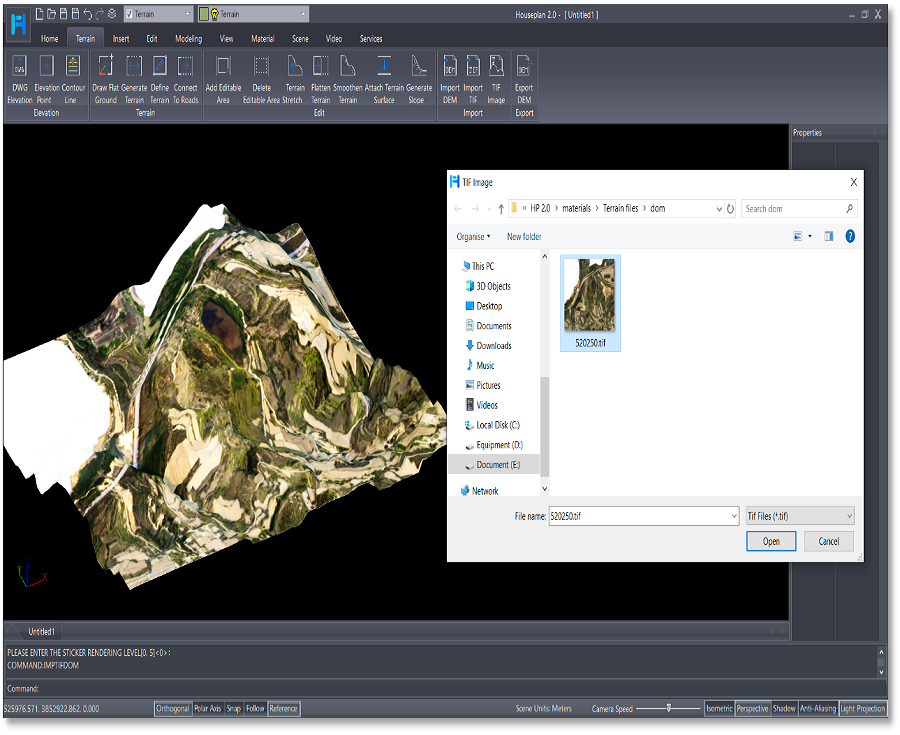
Houseplan 2.0 introduces cutting-edge features, including AI rendering tools that effortlessly generate realistic images and videos based on user input. The updated Terrain Menu offers enhanced tools for managing elevation, contours, and terrain modifications, allowing for precise topographical modeling in any project.
Additionally, the new Shadow Variation tool simulates the movement of shadows throughout the day, adding life and realism to design presentations.
Key Features of Houseplan 2.0:
* AI Rendering Tools: Instantly generate realistic images and videos based on your design preferences, making your presentations stand out.

* Advanced Terrain Management: Import elevation data, create and manage contour lines, adjust terrain heights, and simulate realistic shadow effects for enhanced presentations.

* Component Editing Tools: Effortlessly move, copy, mirror, separate, and delete building components like windows, doors, balconies, and more.

* Improved Environment Customization: Fully customize your design surroundings for more accurate and immersive visualizations.

Powerful Features to Meet Every Design Need
Whether you’re designing urban landscapes, residential homes, or commercial spaces, Houseplan 2.0 helps professionals create stunning, high-quality presentations with ease and precision. The intuitive interface ensures that every detail is presented clearly and accurately.
GstarCAD’s Commitment to Innovation
“We are excited to bring Houseplan 2.0 to the design community,” said Rui Ma, Product Manager of Houseplan. “This release underscores our commitment to providing cutting-edge solutions for architects and designers. With these enhanced features, users can expect a more efficient and dynamic design process, helping them bring their ideas to life faster and more accurately.”
Availability and Special Launch Offer
Houseplan 2.0 is now available for purchase on GstarCAD’s official website. To celebrate the launch, we’re offering a free trial to allow customers to explore the full capabilities of the software. Visit our website today to start your journey with Houseplan 2.0!
For more information, visit www.gstarcad.net or follow us on our social media platforms.
Discover more from Gstarsoft's Blog
Subscribe to get the latest posts sent to your email.