Relative coordinates VS. Absolute coordinates
When we use Relative Coordinates, we type the X and Y coordinates relative to the last point, it’s always about the last point.
When we use Absolute Coordinates, we type X and Y coordinates on the current coordinate system to locate the point relative to the origin. It’s always about the origin, the absolute (0,0).
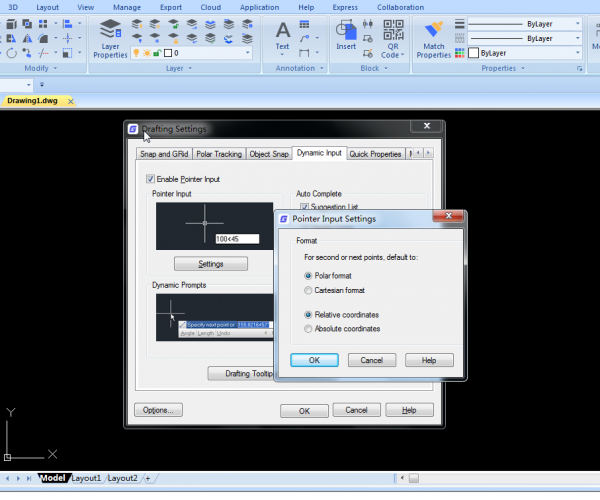
How to switch between absolute coordinates and relative coordinates input in GstarCAD
Sometimes we need to input absolute coordinates while sometimes we need relative coordinates. How can we conveniently switch between them?

What are absolute coordinates and relative coordinates in CAD? How to enter coordinates using different methods?
Sometimes we know the exact coordinates, but sometimes we only know the angle and distance.







