How to use the Navigation tool in GstarCAD 2023

Navigation Tool is a new tool that is clickable and draggable in 2D model space or 3D.

Users can easily switch between standard and isometric views and switch to one of preset views by clicking or dragging the NaviCube, roll the current view, or change to the Home view of the model, it can be used to increase design efficiency.

The NaviCube consists of a cube, compass and options, shown as below,

How to access the NAVICUBE

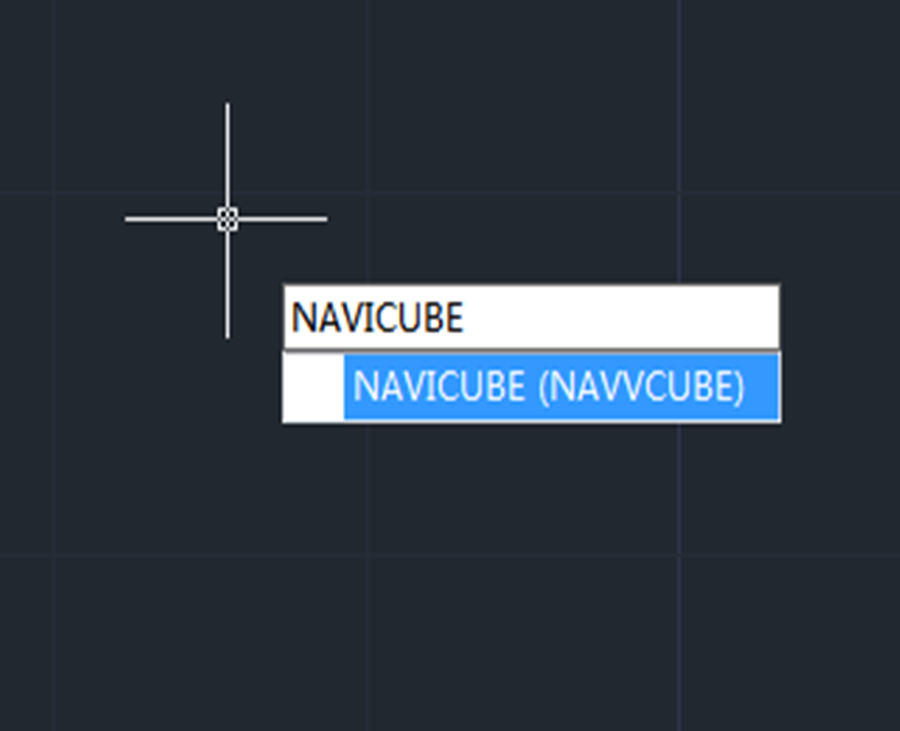
* Enter NAVICUBE, and press Enter key,

* When using 2D Drafting workspace, find View, shown as below,

How to turn off/on NAVICUBE TOOL

Enter NAVICUBE and press Enter key, when the value is ON, the NaviCube is displayed, when the value is OFF, the NaviCube disappears.

The NaviCube is displayed in either inactive or active states. When you cursor doesn’t hover over the NaviCube, it remains inactive and partially transparent so that it doesn’t obscure the view in model space. When you move your cursor over the NaviCube, the becomes active and opaque, so the view in model space may be obscured.

Check this new feature in action

Commands and system variables for controlling NaviCube

Navvcube

Indicates the current viewing direction. Dragging or clicking the NaviCube rotates the scene.

Compass

Compass system variable controls whether the 3D compass is on or off in the current viewport.

When the value is set to 0, the 3D compass is turned off.

When the value is set to 1, the 3D compass is turned on.


Discover more from Gstarsoft's Blog

Subscribe to get the latest posts sent to your email.

GstarCAD Blog

www.gstarcad.net

Related Posts

GstarCAD Deep Dive: How Multiple Top-Level Windows Change Multi-Drawing Workflows

CAD work rarely happens in just one drawing. An engineer may keep a current design open while referring to an earlier revision. A mechanical designer may copy standard details from…

Gstarsoft and AppliCAD Launch GstarSolutions Thailand, Deepening Their Partnership in the Thai Market

On September 16, Gstarsoft and its Thai partner AppliCAD jointly hosted GstarSolutions Product Launch Thailand 2026 in Bangkok, officially launching GstarSolutions Thailand and GstarCAD 2027. The event showcased products spanning…

Leave a Reply

Don't Miss out

GstarCAD Deep Dive: How Multiple Top-Level Windows Change Multi-Drawing Workflows

  • September 23, 2026
GstarCAD Deep Dive: How Multiple Top-Level Windows Change Multi-Drawing Workflows

Gstarsoft and AppliCAD Launch GstarSolutions Thailand, Deepening Their Partnership in the Thai Market

  • September 21, 2026
Gstarsoft and AppliCAD Launch GstarSolutions Thailand, Deepening Their Partnership in the Thai Market

Modernizing Without Disruption: What European SMEs Can Learn from SNIE’s Experience

  • September 18, 2026
Modernizing Without Disruption: What European SMEs Can Learn from SNIE’s Experience

GstarCAD Mechanical 2027: Smarter Workflows, Better Compatibility

  • September 15, 2026
GstarCAD Mechanical 2027: Smarter Workflows, Better Compatibility

AI Rendering Workflow: How GstarRender Improves Design Visualization

  • September 8, 2026
AI Rendering Workflow: How GstarRender Improves Design Visualization

What Is CAD? A Beginner’s Guide to Learning CAD

  • September 1, 2026
What Is CAD? A Beginner’s Guide to Learning CAD

Discover more from Gstarsoft's Blog

Subscribe now to keep reading and get access to the full archive.

Continue reading

Discover more from Gstarsoft's Blog

Subscribe now to keep reading and get access to the full archive.

Continue reading