How do I get the Array dialog box back in CAD?

This post is for those who want the good old Array dialog box back. To display the Array dialog box, just input Arrayclassic, and press Enter key, shown as below,

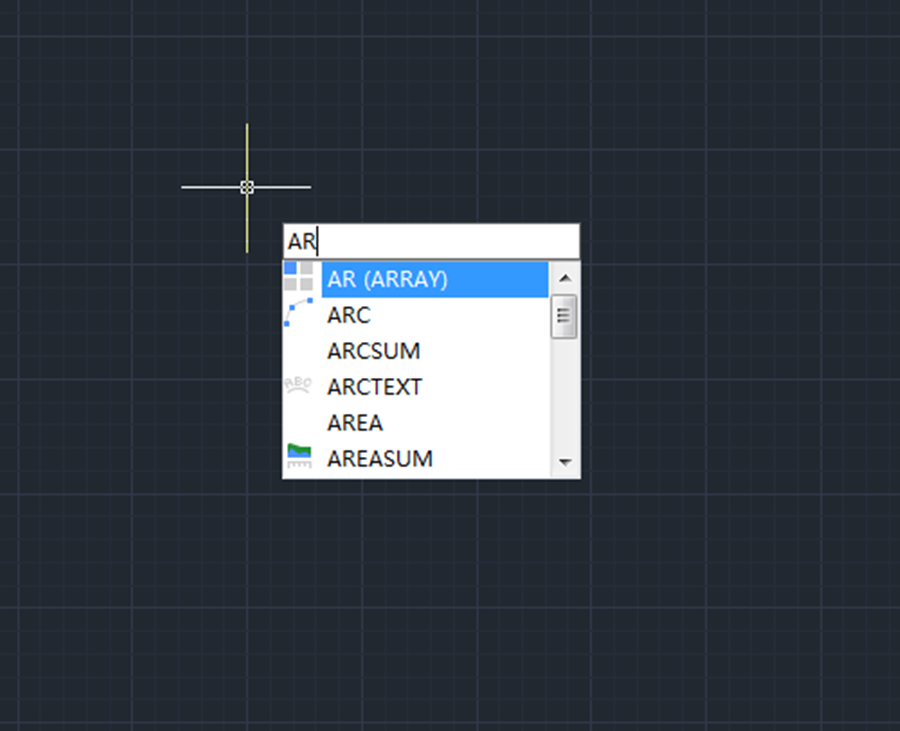
This command name may be long, so if you want to use this classic array command and want the Array dialog box to be popped up every time you enter AR, just do the following:

  1. If you are using 2D Drafting workspace, find Manage tab > Customize settings panel > Edit Aliases, shown as below,

If you are using GstarCAD Classic workspace, find Tools > Customize > Edit Program Parameters, shown as below,

Either way could open the .pgp file.

2. Then find the ARRAY, and change it to ARRAYCLASSIC, and save the file.

3. If you don’t want to restart your CAD system to make the modified .pgp file valid, you can just enter REINIT and press Enter key, and click Yes when you get the following prompt,

4. The next time you enter AR and press Enter key, you’ll have the ARRAY dialog box displayed.

GstarCAD Blog

www.gstarcad.net

Related Posts

How to work with raster images in CAD?

A raster image in CAD (Computer-Aided Design) refers to a type of digital image that is composed of a grid of individual pixels, each with its own color value.

How to work with multiple views of a single drawing?

GstarCAD supports opening and working with several views of the same drawing simultaneously.

Leave a Reply

Don't Miss out

Gstarsoft Showcases Integrated CAD + BIM Solutions at BIM World Paris 2026

  • April 3, 2026
Gstarsoft Showcases Integrated CAD + BIM Solutions at BIM World Paris 2026

Boost CAD Productivity with GstarCAD 2026’s XTP Import Feature

  • March 24, 2026
Boost CAD Productivity with GstarCAD 2026’s XTP Import Feature

Case study: How TopenTech Optimized Equipment Diagnostics and Field Productivity with GstarCAD

  • March 9, 2026
Case study: How TopenTech Optimized Equipment Diagnostics and Field Productivity with GstarCAD

The Ultimate Guide to GstarCAD Mechanical 2026: The Future of Manufacturing Design

  • January 30, 2026
The Ultimate Guide to GstarCAD Mechanical 2026: The Future of Manufacturing Design

GstarCAD 2026 DWG Comparison: Boost Design Efficiency

  • January 16, 2026
GstarCAD 2026 DWG Comparison: Boost Design Efficiency

How to Calculate CAD Area Quickly?

  • December 25, 2025
How to Calculate CAD Area Quickly?

Discover more from Gstarsoft's Blog

Subscribe now to keep reading and get access to the full archive.

Continue reading