
Case study: How TopenTech Optimized Equipment Diagnostics and Field Productivity with GstarCAD
Introduction: Bridging the Gap Between Engineering and Diagnostics For TopenTech Co., Ltd., success is measured by the precision of their diagnostics and the efficiency of their field operations. Specializing in…

The Ultimate Guide to GstarCAD Mechanical 2026: The Future of Manufacturing Design
GstarCAD Mechanical 2026 drafting/design software, covers all fields of mechanical design.

How to Calculate CAD Area Quickly?
As a CAD designer, are you frustrated by the cumbersome and error-prone manual CAD area calculation? GstarCAD offers multiple efficient CAD area calculation methods!
What are CAD Files? Types, Formats, and Managements in 2026
In the processes of architectural blueprint drafting, precise mechanical part modeling, and detailed electronic product design, CAD files have always served as the core bridge connecting creativity and reality.

Gstarsoft Strengthens European Presence with Dynamic BIM World Munich,Reaffirms Long-Term Commitment to Customers
Munich, November 26th, 2025 – Having an exciting participation at BIM World Munich 2025, Gstarsoft has been demonstrating its comprehensive suite of industrial software solutions to global audiences, emphasizing its strategic…

Top 10 Free 2D CAD Software for 2025
In the fast-paced realm of design and engineering, the right tools can make or break a project. Professional CAD solutions like AutoCAD come packed with advanced functionalities, but their premium…

Choosing Between 2D and 3D CAD for Mechanical Engineering
In mechanical engineering, the choice between 2D and 3D CAD affects every stage of your workflow—from initial sketches to final production. Both tools have unique strengths, and knowing when to…
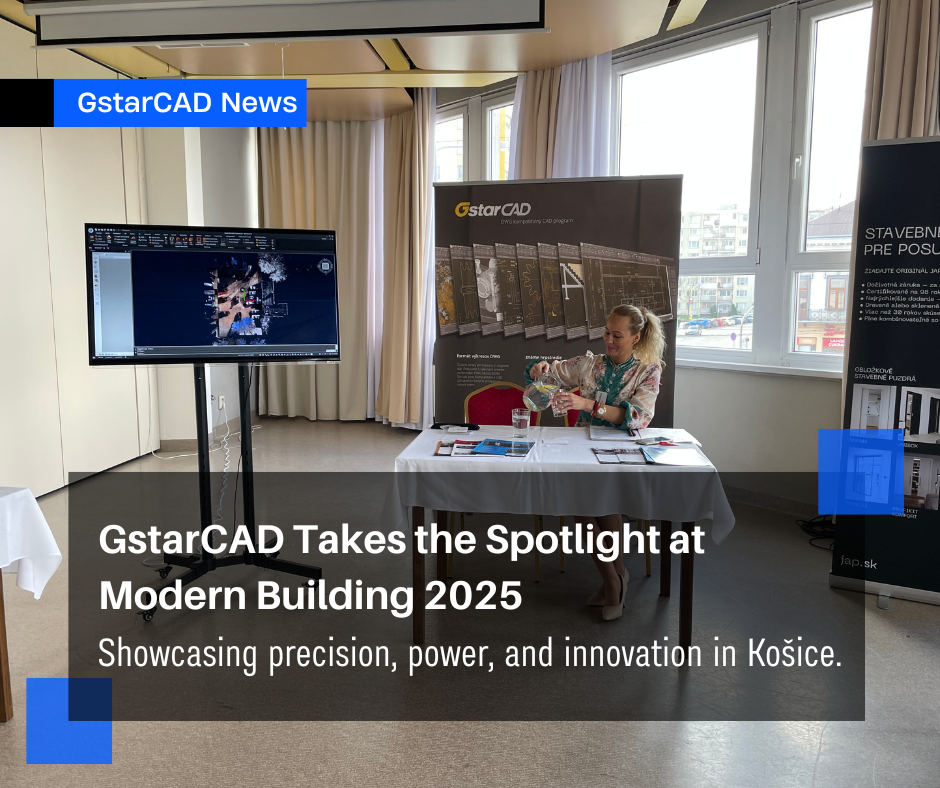
GstarCAD Showcased at Modern Building 2025 in Slovakia
Gstarsoft is proud to announce that its partner in Slovakia, GS SOFT Slovakia s.r.o., successfully participated in the Modern Building 2025 – Presentation Days, held on April 10, 2025, at the Congress Hotel Centrum in Košice.

How to work with raster images in CAD?
A raster image in CAD (Computer-Aided Design) refers to a type of digital image that is composed of a grid of individual pixels, each with its own color value.



