How to work on text with TXT2MTXT command

The TXT2MTXT is used to convert or combine single-line or multiline text objects into one or more multiline text objects.

How to access to the command

* When using 2D Drafting workspace, find Express > Texts > Convert Text to Mtext (TXT2MTXT), shown as below,

* When using GstarCAD Classic workspace, find Text > Convert Text to Mtext, shown as below,

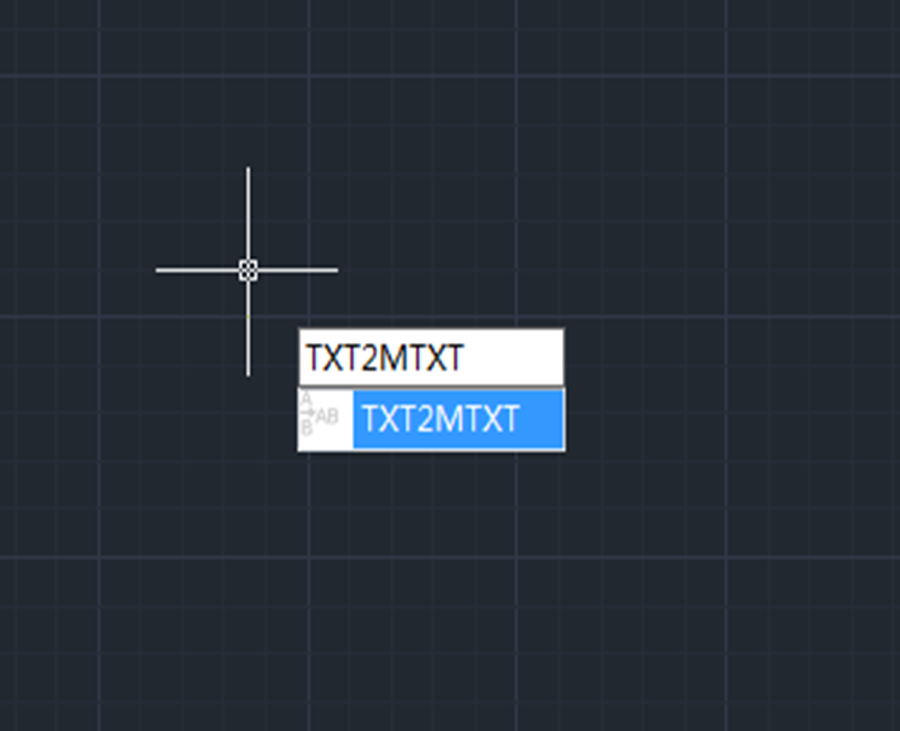
* Enter TXT2MTXT and press Enter key,

After executing the command, the following Text to Mtext Options dialog box will pop up and users can specify the settings option.

Merge as Single MText: Combines the selected text objects into a single mtext object.

Text ordering-Selection set order: Specifies the order of the selected text by manual selection.

Text ordering-Sort top-down: Specifies the order of the selected text by descending vertical position.

Create word-wrap Mtext: Combines all the lines of text into a single line, and then wraps any text that exceeds the width of the mtext object to the next line.

See how to simply use it in action

How to use TXT2MTXT in GstarCAD 2023

Discover more from Gstarsoft's Blog

Subscribe to get the latest posts sent to your email.

GstarCAD Blog

www.gstarcad.net

Related Posts

Why Cloud Matters for CAD: From Standalone Drafting to Connected Workflows

For many engineers and designers, CAD work has long been centered on desktop software. A drawing is created on a workstation, saved as a local file, and then shared with…

Design Intelligence for an Integrated Future: Gstarsoft Strengthens Its Open CAD+BIM+AI Ecosystem

Xi’an, China— June 17, 2026 — Gstarsoft, the global provider of industrial software and digital design solutions, today unveiled its latest design portfolio spanning CAD, BIM, cloud solutions and AI…

Leave a Reply

Don't Miss out

Why Cloud Matters for CAD: From Standalone Drafting to Connected Workflows

  • July 15, 2026
Why Cloud Matters for CAD: From Standalone Drafting to Connected Workflows

Design Intelligence for an Integrated Future: Gstarsoft Strengthens Its Open CAD+BIM+AI Ecosystem

  • June 19, 2026
Design Intelligence for an Integrated Future: Gstarsoft Strengthens Its Open CAD+BIM+AI Ecosystem

GstarCAD 2027: Unleashing Performance and Innovation for Modern Engineering

  • June 11, 2026
GstarCAD 2027: Unleashing Performance and Innovation for Modern Engineering

The Intersection of Art and Efficiency: A49’s Digital Evolution with GstarCAD

  • June 4, 2026
The Intersection of Art and Efficiency: A49’s Digital Evolution with GstarCAD

Top 5 Essential GstarCAD Shortcuts for Designers

  • May 29, 2026
Top 5 Essential GstarCAD Shortcuts for Designers

Common Methods for Inserting Images in GstarCAD

  • May 22, 2026
Common Methods for Inserting Images in GstarCAD

Discover more from Gstarsoft's Blog

Subscribe now to keep reading and get access to the full archive.

Continue reading

Discover more from Gstarsoft's Blog

Subscribe now to keep reading and get access to the full archive.

Continue reading