How to flatten 3D CAD drawings to 2D

There are several ways to make the z axis zero.

  1. Change value in the Properties Panel

The easiest way one can think of is to select all objects in the drawing and open the Properties Panel and change the z-axis value. But this is plausible if there are only few of objects whose z-axis are not zero. Because when you have selected all the objects, the properties panel only shows properties in common.

We can use Quick Select to select them by category and then change them.

Enter QSELECT then press Enter key or directly click the Quick Select button in the properties panel to open the dialog box, select “Entire drawing”, as shown in the following picture,

2. Use CHANGE Command

The change command can be used to change not only many objects, but properties and elevation of different kind of objects.

Enter CHANGE Command, press enter key, window select the objects to be changed, press Enter, input P, pres Enter, input E, press Enter, input 0, press Enter.

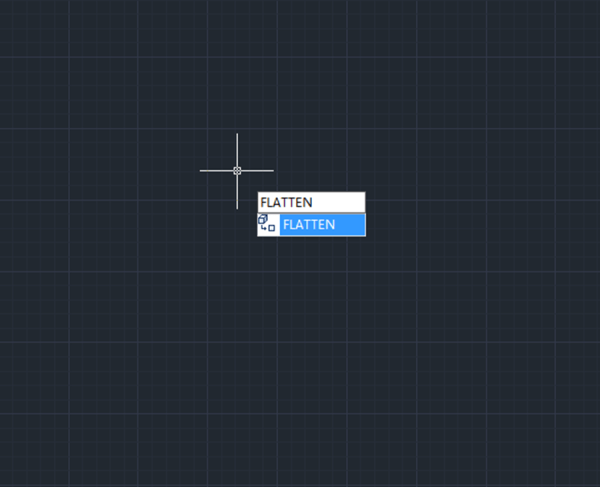
3. Flatten command

Flatten command is used to flatten objects, it creates 2D representation from a 3D model or we can use it to force the thickness and elevations of selected objects to 0.

GstarCAD Blog

www.gstarcad.net

Related Posts

The Ultimate Guide to GstarCAD Mechanical 2026: The Future of Manufacturing Design

GstarCAD Mechanical 2026 drafting/design software, covers all fields of mechanical design.

How to Calculate CAD Area Quickly?

As a CAD designer, are you frustrated by the cumbersome and error-prone manual CAD area calculation? GstarCAD offers multiple efficient CAD area calculation methods!

One thought on “How to flatten 3D CAD drawings to 2D

Leave a Reply

Don't Miss out

Boost CAD Productivity with GstarCAD 2026’s XTP Import Feature

  • March 24, 2026
Boost CAD Productivity with GstarCAD 2026’s XTP Import Feature

Case study: How TopenTech Optimized Equipment Diagnostics and Field Productivity with GstarCAD

  • March 9, 2026
Case study: How TopenTech Optimized Equipment Diagnostics and Field Productivity with GstarCAD

The Ultimate Guide to GstarCAD Mechanical 2026: The Future of Manufacturing Design

  • January 30, 2026
The Ultimate Guide to GstarCAD Mechanical 2026: The Future of Manufacturing Design

GstarCAD 2026 DWG Comparison: Boost Design Efficiency

  • January 16, 2026
GstarCAD 2026 DWG Comparison: Boost Design Efficiency

How to Calculate CAD Area Quickly?

  • December 25, 2025
How to Calculate CAD Area Quickly?

Top 10 best floorplan design software in 2026 (2D&3D)

  • December 11, 2025
Top 10 best floorplan design software in 2026 (2D&3D)

Discover more from Gstarsoft's Blog

Subscribe now to keep reading and get access to the full archive.

Continue reading

