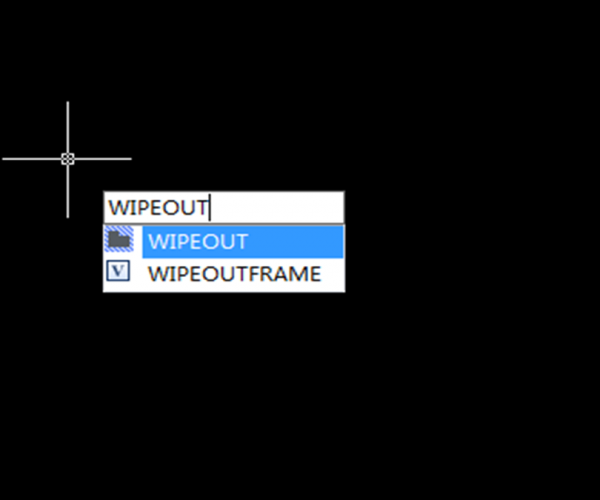
How can I create a circular wipeout

Many CAD users want to create a circular wipeout, as you may or may not know, you cannot create a wipeout using a circle, only a closed pline without any arcs. Instead, use the POLYGON command.

1. Enter the command POLYGON,

2. When prompted to enter the number of sides, enter a value of 36 which will create a closed pline that looks just like a circle. You can assign the value of 36 sides for the pline because it looks just like a circle without having too many vertices that make the closed pline too “busy”

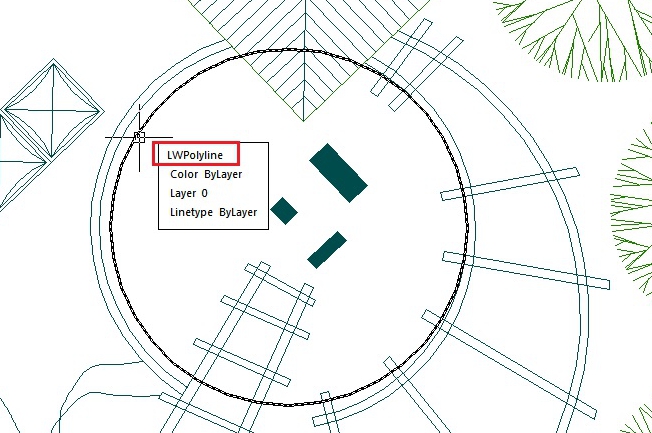
3. Then use of the WIPEOUT command like you normally would, and choose Polyline option, then select the pline created and done! Also you can change the wipeout properties via properties window.


Discover more from Gstarsoft's Blog

Subscribe to get the latest posts sent to your email.

  • GstarCAD Blog

    www.gstarcad.net

    Related Posts

    What Is a DWG File? An Easy Guide for CAD Beginners

    You have learned what CAD is and tried drawing a few lines, adding dimensions or working with layers. Now where does that drawing go when you save it? In many…

    What’s New in GstarRender: AI Architectural Visualization from Concept to Video

    GstarRender’s latest update gives architects and designers more ways to turn early ideas into compelling design presentations. The new GstarRender V3 model in Explore combines design elements from multiple references;…

    Leave a Reply

    Don't Miss out

    What Is a DWG File? An Easy Guide for CAD Beginners

    • October 30, 2026
    What Is a DWG File? An Easy Guide for CAD Beginners

    What’s New in GstarRender: AI Architectural Visualization from Concept to Video

    • October 29, 2026
    What’s New in GstarRender: AI Architectural Visualization from Concept to Video

    GstarCAD Deep Dive: What’s New in Batch Plotting for 2027?

    • October 20, 2026
    GstarCAD Deep Dive: What’s New in Batch Plotting for 2027?

    Old Factory Renovation with AI Rendering: Reimagine Industrial Buildings with GstarRender

    • October 15, 2026
    Old Factory Renovation with AI Rendering: Reimagine Industrial Buildings with GstarRender

    GstarCAD Deep Dive: What Really Happens Inside a CAD Block?

    • September 29, 2026
    GstarCAD Deep Dive: What Really Happens Inside a CAD Block?

    GstarCAD Deep Dive: How Multiple Top-Level Windows Change Multi-Drawing Workflows

    • September 23, 2026
    GstarCAD Deep Dive: How Multiple Top-Level Windows Change Multi-Drawing Workflows

    Discover more from Gstarsoft's Blog

    Subscribe now to keep reading and get access to the full archive.

    Continue reading



