How to add stairs quickly with Houseplan

Houseplan is a 3D modeling and real-time rendering programme that has useful 3D tools and features, enabling architects, urban planners, amateurs, etc. to present building ideas easily and efficiently.

How to access the tool

Open your drawing file, then find Home tab > Building panel > Show Floor, shown as below,

Draw a plane to specify the area of the stair well, and dig a hole from floor 1 to 6,

Open Floor 1 and find Home tab > Building panel > Stairs tool, shown as below,

Select the Stair Match tool and draw the stair, then adjust its direction

You can also make the stairs of Floor 2 by selecting the plane and convert it directly, then, Complete the rest of the stairs with the Stair Formation tool

You can also add curved stairs by defining 2 polylines

Check out the Step by step video tutorial

GstarCAD Blog

www.gstarcad.net

Related Posts

Elevate Your Urban Planning Today with Houseplan 2.0!

Architects, urban designers, and planners often face the unique challenge of designing urban environments that are both functional and enriching for communities. In an era where urbanization is rapidly increasing, finding innovative tools is crucial.

Elevate Your Designs: The Exciting New Terrain Features in Houseplan 2.0

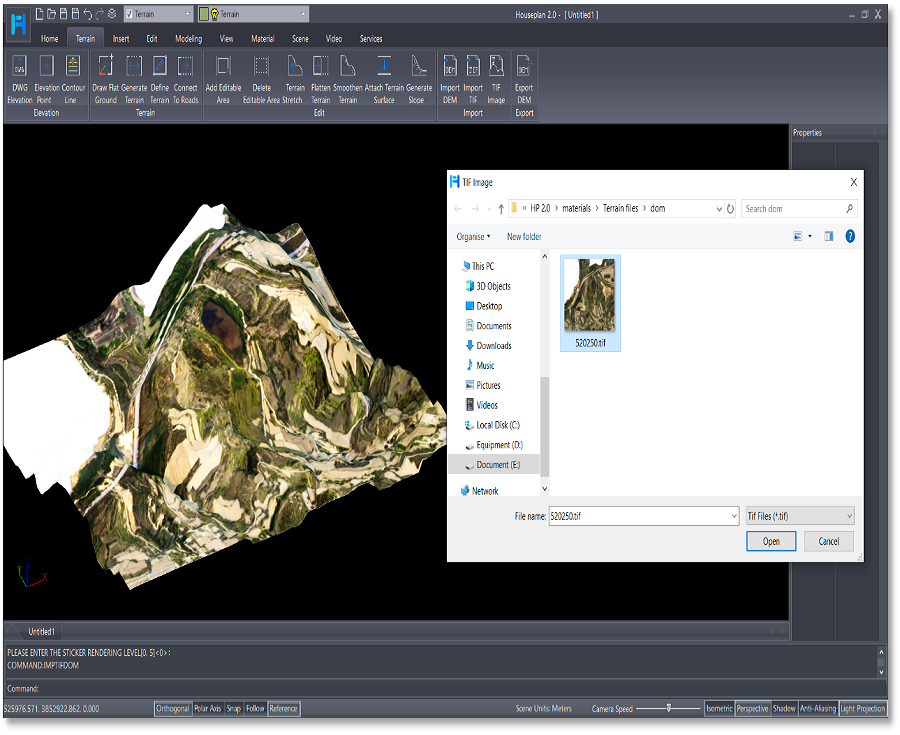
Houseplan 2.0 has taken a significant leap forward with the introduction of its rich Terrain features, making it an even more powerful tool for architects, designers, and builders.

Leave a Reply

Don't Miss out

Gstarsoft Showcases Integrated CAD + BIM Solutions at BIM World Paris 2026

  • April 3, 2026
Gstarsoft Showcases Integrated CAD + BIM Solutions at BIM World Paris 2026

Boost CAD Productivity with GstarCAD 2026’s XTP Import Feature

  • March 24, 2026
Boost CAD Productivity with GstarCAD 2026’s XTP Import Feature

Case study: How TopenTech Optimized Equipment Diagnostics and Field Productivity with GstarCAD

  • March 9, 2026
Case study: How TopenTech Optimized Equipment Diagnostics and Field Productivity with GstarCAD

The Ultimate Guide to GstarCAD Mechanical 2026: The Future of Manufacturing Design

  • January 30, 2026
The Ultimate Guide to GstarCAD Mechanical 2026: The Future of Manufacturing Design

GstarCAD 2026 DWG Comparison: Boost Design Efficiency

  • January 16, 2026
GstarCAD 2026 DWG Comparison: Boost Design Efficiency

How to Calculate CAD Area Quickly?

  • December 25, 2025
How to Calculate CAD Area Quickly?

Discover more from Gstarsoft's Blog

Subscribe now to keep reading and get access to the full archive.

Continue reading