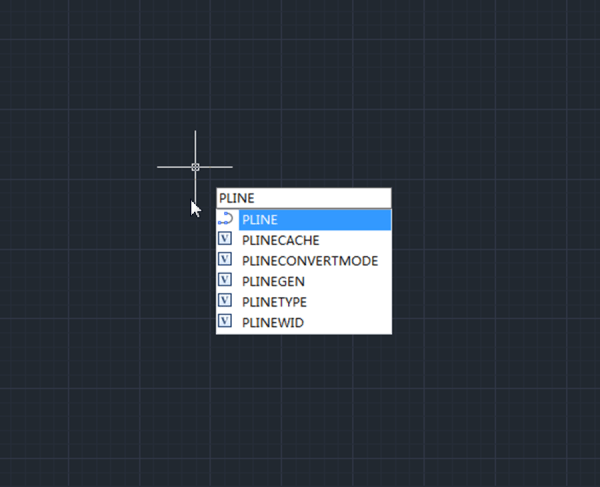
Things you may not know about PLINE

The PLINE can have different lineweight and can be used to draw arrowhead?

We all know that PLINE can have lineweight, but few people know that the start point and end point of the linear segment and arc segment of pline can have different lineweight, that’s how can draw a arrowhead or other similar objects.

If the different segments of pline all have the same lingweight, the Global width parameter will display the value, as shown in the following picture,

If not, the Global width value will be null, as shown in the following,

Do you know how to draw circle with PLINE?

Sometime we’ll need circle that has lineweight, but since circle command can’t do that, we can use PLINE to draw a circle, after specifying the start point, enter A, press Enter key to switch to Arc drawing mode, we can use radius or other parameters to draw the arc, and directly enter CL and then press Enter key to get a circle of pline.

Do you know that PLINE can be used to emulate 3D model?

Can you believe that the following objects are actually pline? Not only PLINE, but line, arc, circle and other 2D objects have a thickness parameter.


Discover more from Gstarsoft's Blog

Subscribe to get the latest posts sent to your email.

GstarCAD Blog

www.gstarcad.net

Related Posts

Parametric Constraints in Dynamic Blocks: What’s New in GstarCAD 2027

In the field of architecture, construction, and mechanical design, changes are a constant. Whether driven by updated safety guidelines, client revisions, or evolving project requirements, designers are regularly asked to…

Common Methods for Inserting Images in GstarCAD

In professional CAD workflows, integrating raster images—such as site maps, reference sketches, or interior renders—is essential for visualization and project coordination. However, choosing the wrong insertion method can lead to…

Leave a Reply

Don't Miss out

Do You Really Need Everything in AutoCAD? Why GstarCAD Is Enough for Many CAD Workflows

  • August 13, 2026
Do You Really Need Everything in AutoCAD? Why GstarCAD Is Enough for Many CAD Workflows

Best Free CAD Software Options in 2026

  • August 5, 2026
Best Free CAD Software Options in 2026

Beyond 2D: How CAD Is Evolving into the Foundation of Intelligent Engineering

  • August 4, 2026
Beyond 2D: How CAD Is Evolving into the Foundation of Intelligent Engineering

Parametric Constraints in Dynamic Blocks: What’s New in GstarCAD 2027

  • July 29, 2026
Parametric Constraints in Dynamic Blocks: What’s New in GstarCAD 2027

Why Cloud Matters for CAD: From Standalone Drafting to Connected Workflows

  • July 15, 2026
Why Cloud Matters for CAD: From Standalone Drafting to Connected Workflows

Design Intelligence for an Integrated Future: Gstarsoft Strengthens Its Open CAD+BIM+AI Ecosystem

  • June 19, 2026
Design Intelligence for an Integrated Future: Gstarsoft Strengthens Its Open CAD+BIM+AI Ecosystem

Discover more from Gstarsoft's Blog

Subscribe now to keep reading and get access to the full archive.

Continue reading

Discover more from Gstarsoft's Blog

Subscribe now to keep reading and get access to the full archive.

Continue reading



