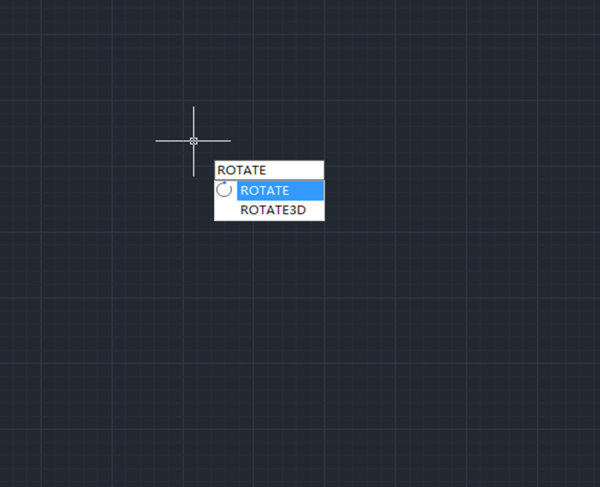
Tips & tricks for ROTATE command

How to access the ROTATE Command?

* When using 2D Drafting workspace,

Find Home > Rotate, as shown in the following picture,

* When using GstarCAD Classic workspace,

Find Modify > Rotate, as shown in the following picture,

* Entering “RO”, then press Enter key to execute the command, as shown in the following picture,

After executing the command, we are prompted to select object and the base point for the rotation,

After specifying the base point, we are prompted to specify Rotation angle or choose 0, Copy, Multiple, reference,

* 0 : By default, the rotation angle is 0, which means the object remains where it is.


Discover more from Gstarsoft's Blog

Subscribe to get the latest posts sent to your email.

GstarCAD Blog

www.gstarcad.net

Related Posts

Common Methods for Inserting Images in GstarCAD

In professional CAD workflows, integrating raster images—such as site maps, reference sketches, or interior renders—is essential for visualization and project coordination. However, choosing the wrong insertion method can lead to…

The Ultimate Guide to GstarCAD Mechanical 2026: The Future of Manufacturing Design

GstarCAD Mechanical 2026 drafting/design software, covers all fields of mechanical design.

Leave a Reply

Don't Miss out

Design Intelligence for an Integrated Future: Gstarsoft Strengthens Its Open CAD+BIM+AI Ecosystem

  • June 19, 2026
Design Intelligence for an Integrated Future: Gstarsoft Strengthens Its Open CAD+BIM+AI Ecosystem

GstarCAD 2027: Unleashing Performance and Innovation for Modern Engineering

  • June 11, 2026
GstarCAD 2027: Unleashing Performance and Innovation for Modern Engineering

The Intersection of Art and Efficiency: A49’s Digital Evolution with GstarCAD

  • June 4, 2026
The Intersection of Art and Efficiency: A49’s Digital Evolution with GstarCAD

Top 5 Essential GstarCAD Shortcuts for Designers

  • May 29, 2026
Top 5 Essential GstarCAD Shortcuts for Designers

Common Methods for Inserting Images in GstarCAD

  • May 22, 2026
Common Methods for Inserting Images in GstarCAD

Building the Future of Steel: How Tarkon Optimizes Structural Design with GstarCAD

  • May 7, 2026
Building the Future of Steel: How Tarkon Optimizes Structural Design with GstarCAD

Discover more from Gstarsoft's Blog

Subscribe now to keep reading and get access to the full archive.

Continue reading

Discover more from Gstarsoft's Blog

Subscribe now to keep reading and get access to the full archive.

Continue reading